


How to Create a Custom Toolbox Foam Insert with a CNC Waterjet
In busy manufacturing environments, wasted motion adds up fast. When tools are scattered, misplaced, or stored without a clear system, productivity suffers and so does consistency on the shop floor. A well-designed foam insert solves that problem by giving every tool a dedicated place, improving organization, reducing search time, and making it easier to spot missing items at a glance.
With a CNC waterjet cutting system, creating custom foam inserts becomes a practical and highly accurate process. Using WARDJet’s IGEMS CAD/CAM software and an M Series waterjet, manufacturers and fabricators can turn a simple image of shop tools into a precision-cut storage solution. The workflow is straightforward, efficient, and flexible enough for a wide range of applications, from toolbox drawers to workstation organization and kitting systems.
Why Custom Foam Inserts Matter in Manufacturing
Tool control is about more than neatness. In fabrication and industrial settings, organized storage supports lean manufacturing, improves operator efficiency, and helps protect valuable tools from damage. Foam inserts also contribute to visual management systems by making it immediately obvious when a tool is out of place.
Traditional methods of making inserts can be time-consuming and inconsistent, especially when done by hand. CNC waterjet cutting offers a better alternative. It allows shops to produce clean, repeatable cuts in lightweight foam materials while maintaining the flexibility to customize layouts for specific tools, workstations, or departments.
This makes waterjet technology especially useful for companies that want to create professional-grade storage solutions without investing in complicated secondary processes.
From a Simple Photo to Usable CAD Geometry
One of the most practical parts of this process is how it begins: with a simple JPEG photo of the tools. Instead of manually drawing each outline from scratch, users can import an image directly into IGEMS CAD/CAM software and begin building the insert geometry from that reference.
This approach lowers the barrier to entry for creating custom inserts. A shop team can quickly lay out tools, capture an image, and use it as the foundation for the design. From there, IGEMS provides tools that make it possible to convert that photo into workable CAD data.
The tracing process is key. By following the visible outlines of each tool, the user creates accurate geometry that can later be refined and used for cutting. This is a major advantage for teams that need a quick, practical workflow rather than a long design cycle.
Using IGEMS Tools to Refine the Design
Once the image is imported, the next step is turning rough outlines into clean, cut-ready geometry. IGEMS includes several tools that help streamline this process.
Trace Functions for Fast Geometry Creation
The Trace feature allows users to follow the contours of tools directly from the imported image. This makes it easy to build the base shapes needed for each foam pocket. For tool organizers, even simple traced outlines can produce a very effective final result.
Edge Fix for Cleaner Profiles
After tracing, some geometry may need cleanup. Small irregularities, gaps, or uneven edges can affect part quality if left uncorrected. Edge Fix helps smooth and refine those shapes so the final cut is more precise and visually polished.
This step is especially important when making inserts for frequently used tools. A cleaner profile helps improve fit and gives the finished insert a more professional appearance.
Scaling for Accuracy
An image alone does not guarantee true dimensions, so scaling is essential. By applying the correct scaling functions in IGEMS, users can adjust the traced outlines to match the actual size of the tools. This ensures the finished foam cavities hold each item properly without being too tight or too loose.
Accurate scaling is what transforms a simple traced image into a functional production file.
Designing the Foam Layout for Real-World Use
Creating a good foam insert is not just about tracing tool shapes. Layout matters too. Tool spacing, orientation, and overall arrangement all affect usability.
A well-planned layout should balance density with accessibility. Tools should fit efficiently within the available foam area, but they also need enough spacing for easy removal and replacement. This is where thoughtful CAD/CAM design adds real value. Users can position each outline intentionally, making the most of the available space while still maintaining a clean, organized look.
The process also supports flexibility. Additional tools can be added, shapes can be adjusted, and alternate input methods, such as converting JPEG files to DXF, can provide another path for building geometry depending on the application.
Preparing Toolpaths for Waterjet Cutting
Once the geometry is finalized, the design moves into toolpath preparation. This is where the CAD model becomes a cutting program.
Optimizing geometry before cutting helps ensure smooth machine motion and better edge quality. Proper toolpath creation also supports efficient cutting performance, especially when working with lightweight materials like crosslink foam. Because foam behaves differently than metals or stone, the programming strategy must reflect the material and the desired result.
The ability to move from image-based design to toolpath generation within the same workflow is a major advantage. It reduces manual handoff, saves programming time, and helps streamline production for one-off jobs or repeatable insert designs.
Cutting Crosslink Foam on the WARDJet M Series
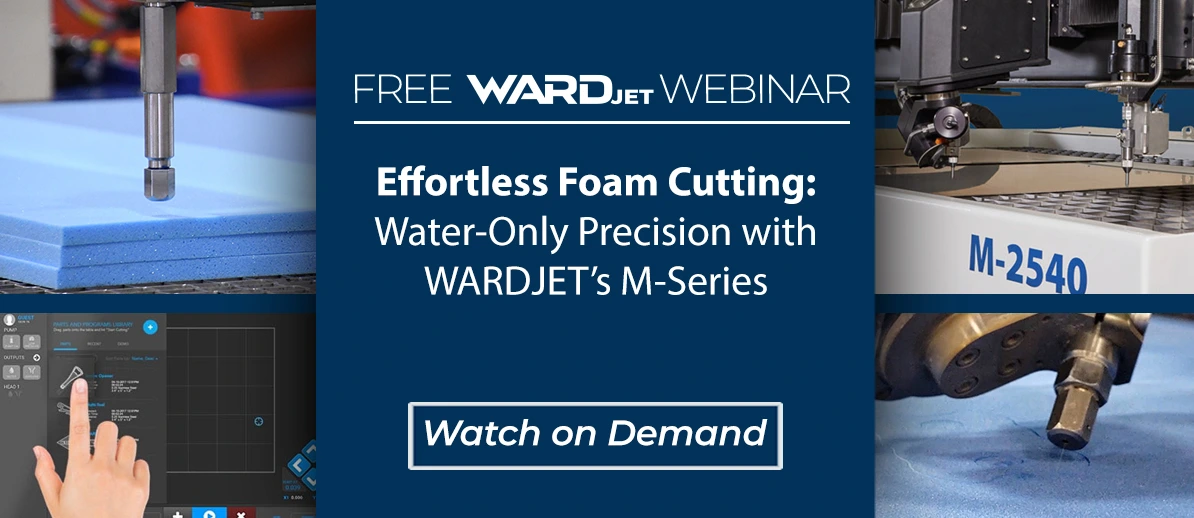
With the design complete, the cutting process takes place on a WARDJet M Series waterjet system. Lightweight crosslink foam is well suited for this kind of application because it is durable, clean-looking, and easy to assemble into layered inserts.
Waterjet cutting offers several benefits for foam processing:
- High precision for custom tool shapes
- Clean cuts without crushing the material
- Flexibility for simple or complex profiles
- Fast transitions from design to finished part
For manufacturers and fabrication shops, this means custom inserts can be produced in-house with professional results. Instead of outsourcing or relying on manual cutting methods, teams can use the same waterjet technology that supports other shop applications to create organized storage systems as needed.
The live cutting portion of the process demonstrates how quickly a digital design can become a finished foam component. After the top insert layer is cut, the base layer can also be produced to complete the assembly.
Assembling a Multi-Layer Foam Insert
After cutting, the insert is assembled by bonding the foam layers together. This creates the final structure: a top layer with tool-shaped cavities and a bottom layer that supports the tools underneath.
The result is a durable, custom-fit insert that keeps tools secure and easy to access. Once placed into a toolbox drawer or workstation tray, the insert provides an immediate upgrade in organization and presentation.
This layered approach is simple but effective. It gives shops the ability to create inserts tailored to specific toolsets, departments, maintenance kits, or mobile service applications.
Key Benefits for Shops and Manufacturers
For manufacturers, fabricators, and shop owners, this application highlights how versatile waterjet cutting can be. Beyond cutting production parts, a CNC waterjet can support internal efficiency improvements that make day-to-day operations run better.
Some of the biggest benefits include:
Better Organization
A dedicated place for every tool reduces clutter and supports more efficient workflows.
Faster Tool Access
Operators spend less time searching for tools and more time working.
Improved Visual Control
Missing tools are immediately obvious, which supports accountability and process discipline.
Efficient Customization
Using an image-based workflow makes it possible to create one-off or repeatable insert designs without starting from scratch.
Expanded Use of Waterjet Technology
This kind of project shows how waterjet systems can add value beyond traditional cutting applications.
A Practical Example of Waterjet Versatility
This foam insert workflow is a great example of how CNC waterjet technology can solve practical shop-floor challenges. By combining image import, CAD/CAM tracing, geometry cleanup, toolpath preparation, and precision foam cutting, manufacturers can create highly functional storage solutions with impressive speed and accuracy.
It is also a reminder that innovation in manufacturing is not always about large-scale production changes. Sometimes, small improvements, like better tool organization, can deliver meaningful gains in efficiency, consistency, and professionalism.
For shops looking to get more from their equipment, custom foam inserts are a smart, accessible application that demonstrates the flexibility of both WARDJet systems and IGEMS software.
👉 Learn more, request a demo, or get support from the WARDJet team:
https://www.wardjet.com/get-a-quote/